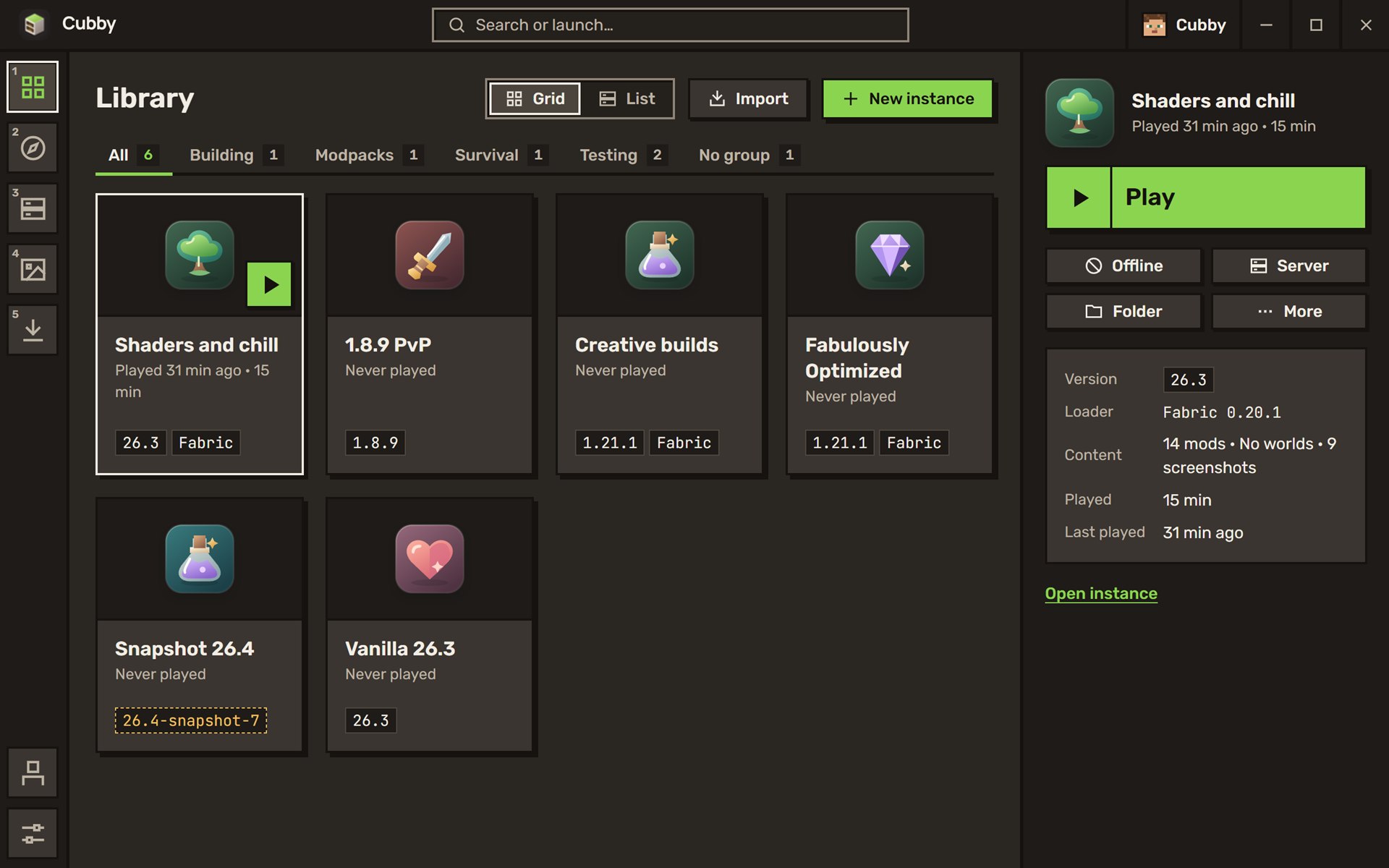
All your worlds, mods and modpacks in one tidy place.
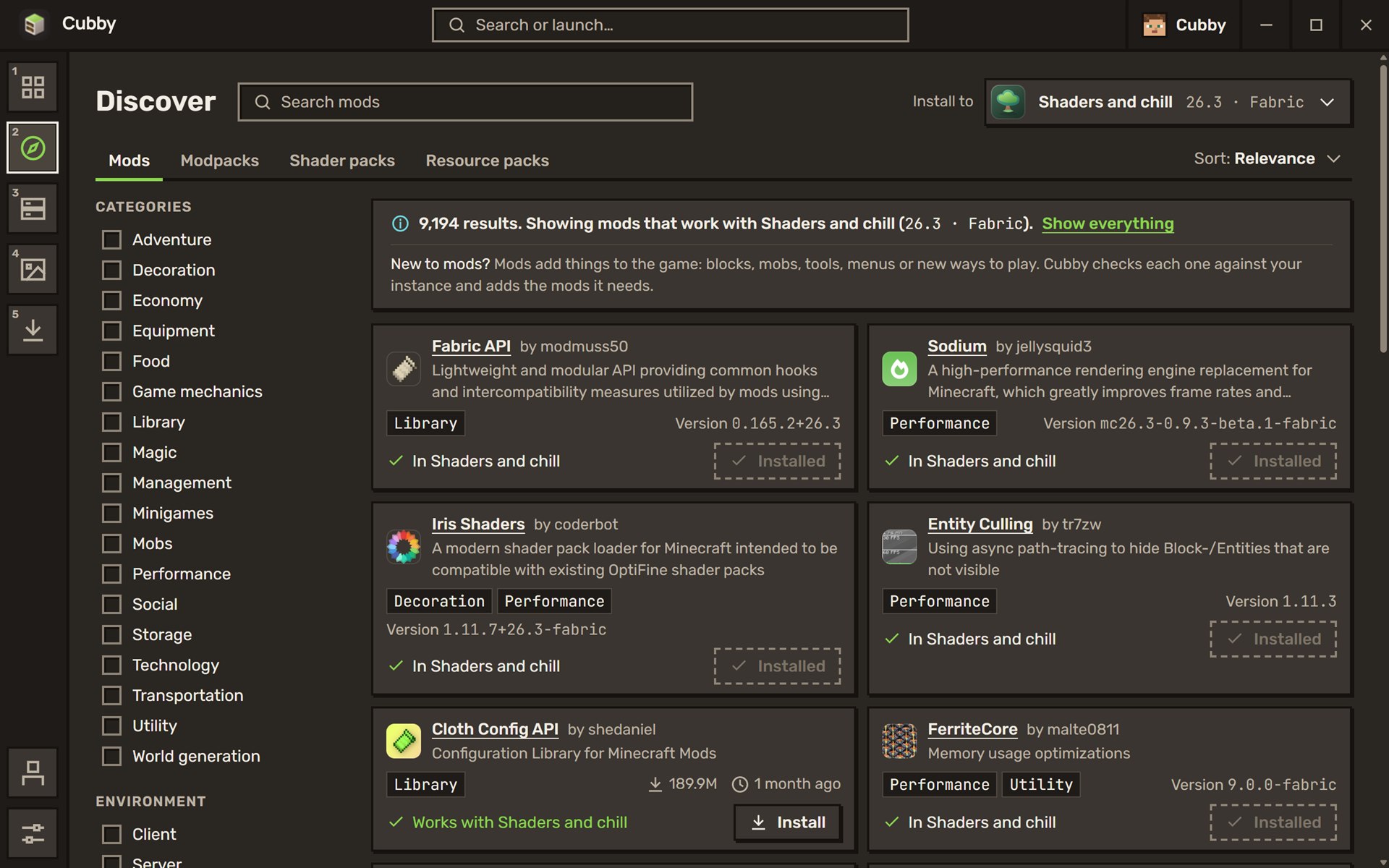
Discover
Search Modrinth and CurseForge without leaving the launcher. Pick the world you're installing into, and Cubby hides everything that wouldn't run on it.
No more grabbing the wrong version and finding out when the game refuses to start.
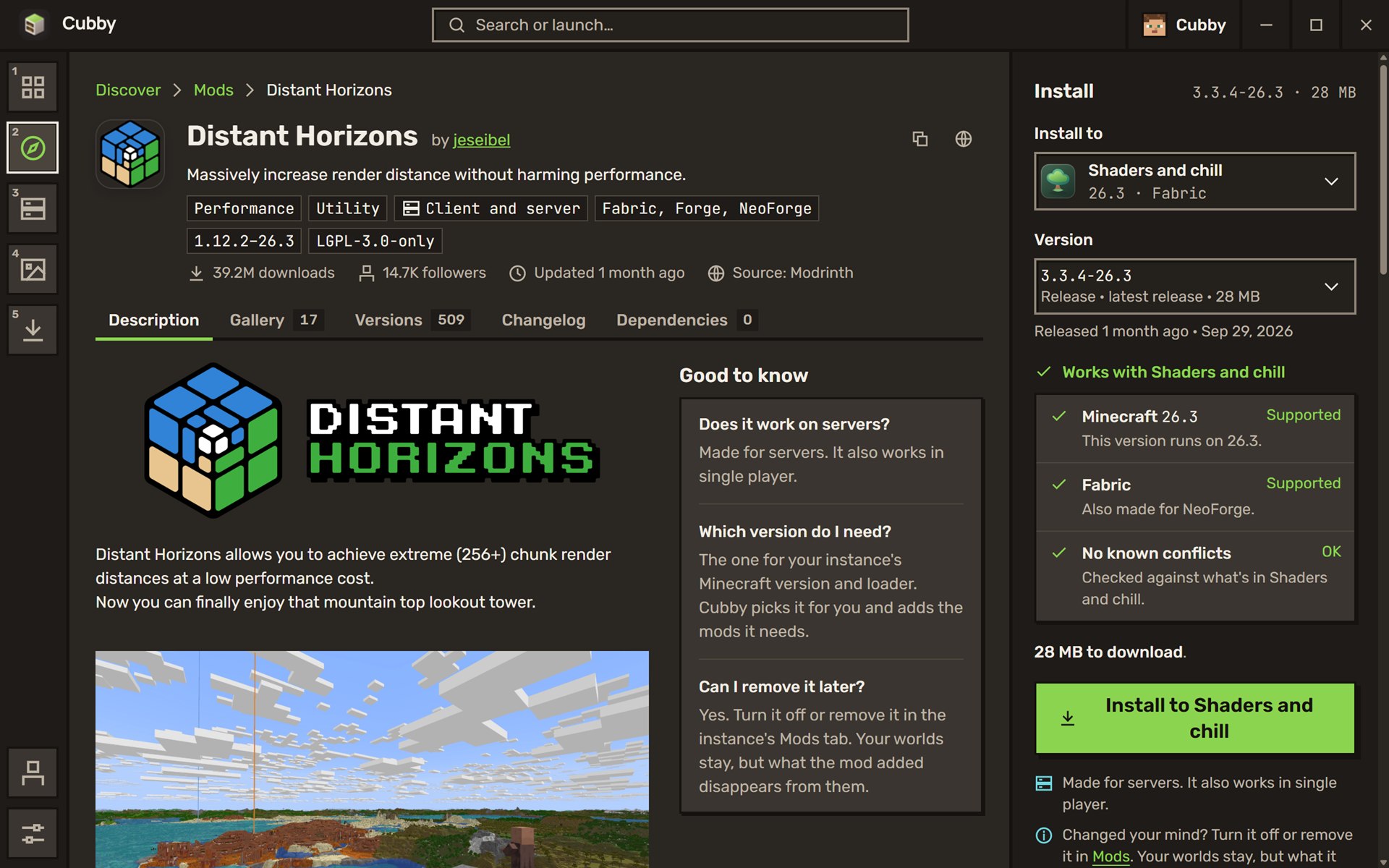
One click
Every mod has a real page: what it adds, pictures, versions, changelog. Before you press Install, Cubby tells you it'll work with your world and which other mods come along with it.
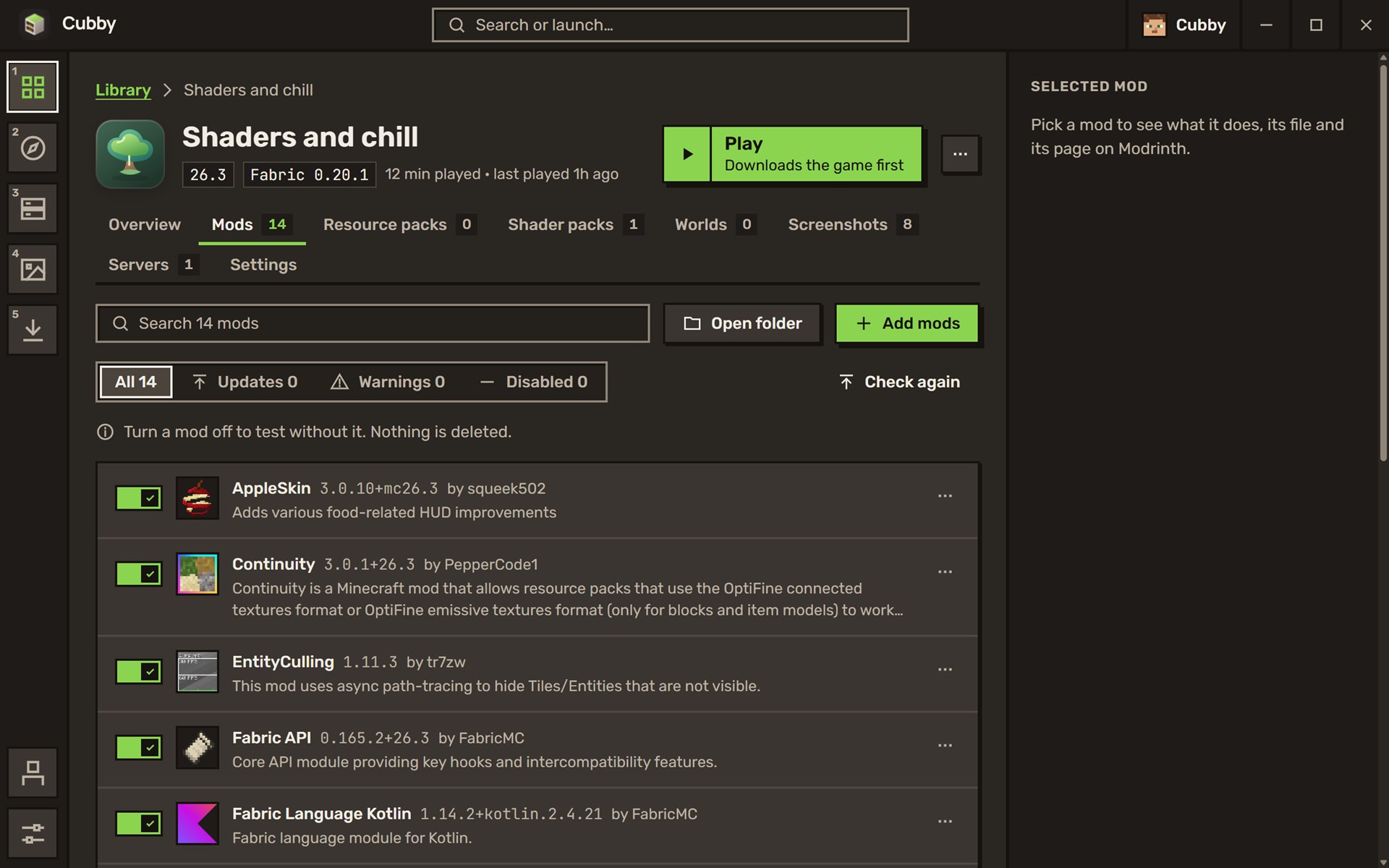
Your mods
Something broke after an update? Turn the mod off, play, turn it back on. Nothing gets deleted.
Updates show up on their own, and one button applies them all.
When it crashes
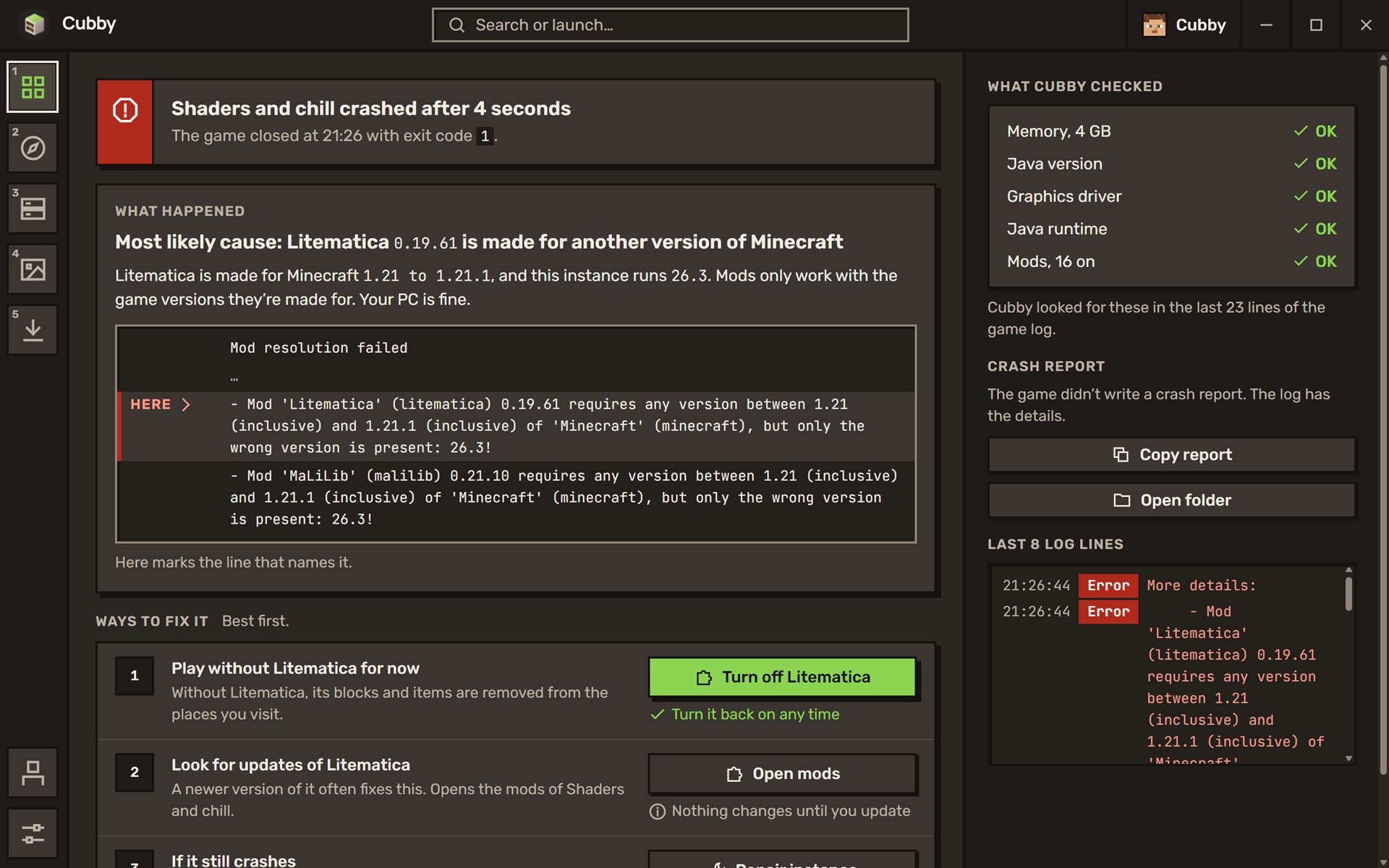
Instead of a wall of red text, Cubby reads the log and tells you what went wrong in plain words. Here, a mod made for Minecraft 1.21 in a 26.3 world. Then it lists what you can do about it, best fix first.
Repairing a world downloads the game files again and keeps your builds, your mods and your settings.
New world
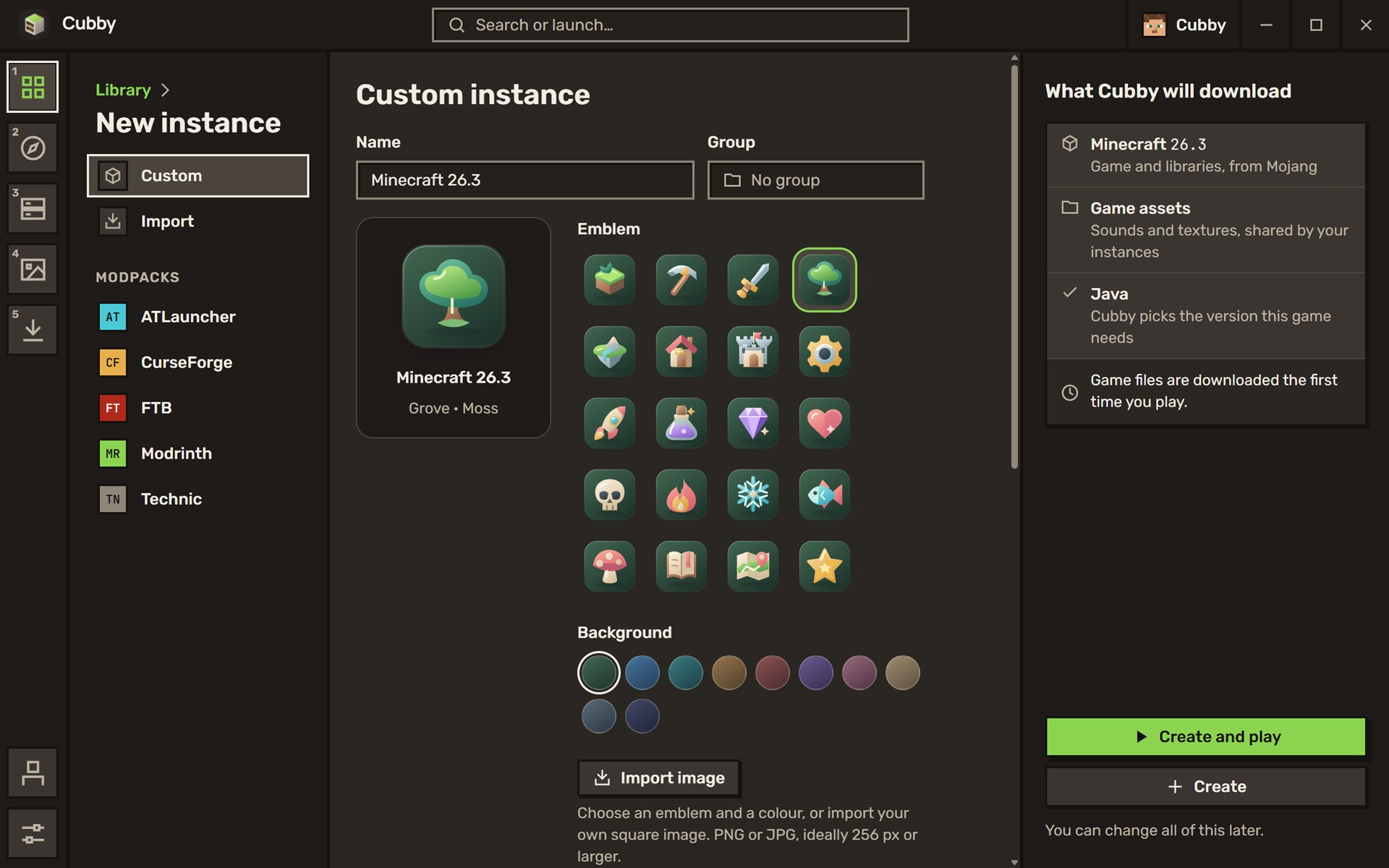
The latest release, a snapshot or 1.8.9 for old-school PvP. Fabric, Quilt, Forge or NeoForge. Modpacks from Modrinth, CurseForge, FTB, ATLauncher and Technic.
Then give it an emblem and a colour, or your own image, so you spot it at a glance.
While you play
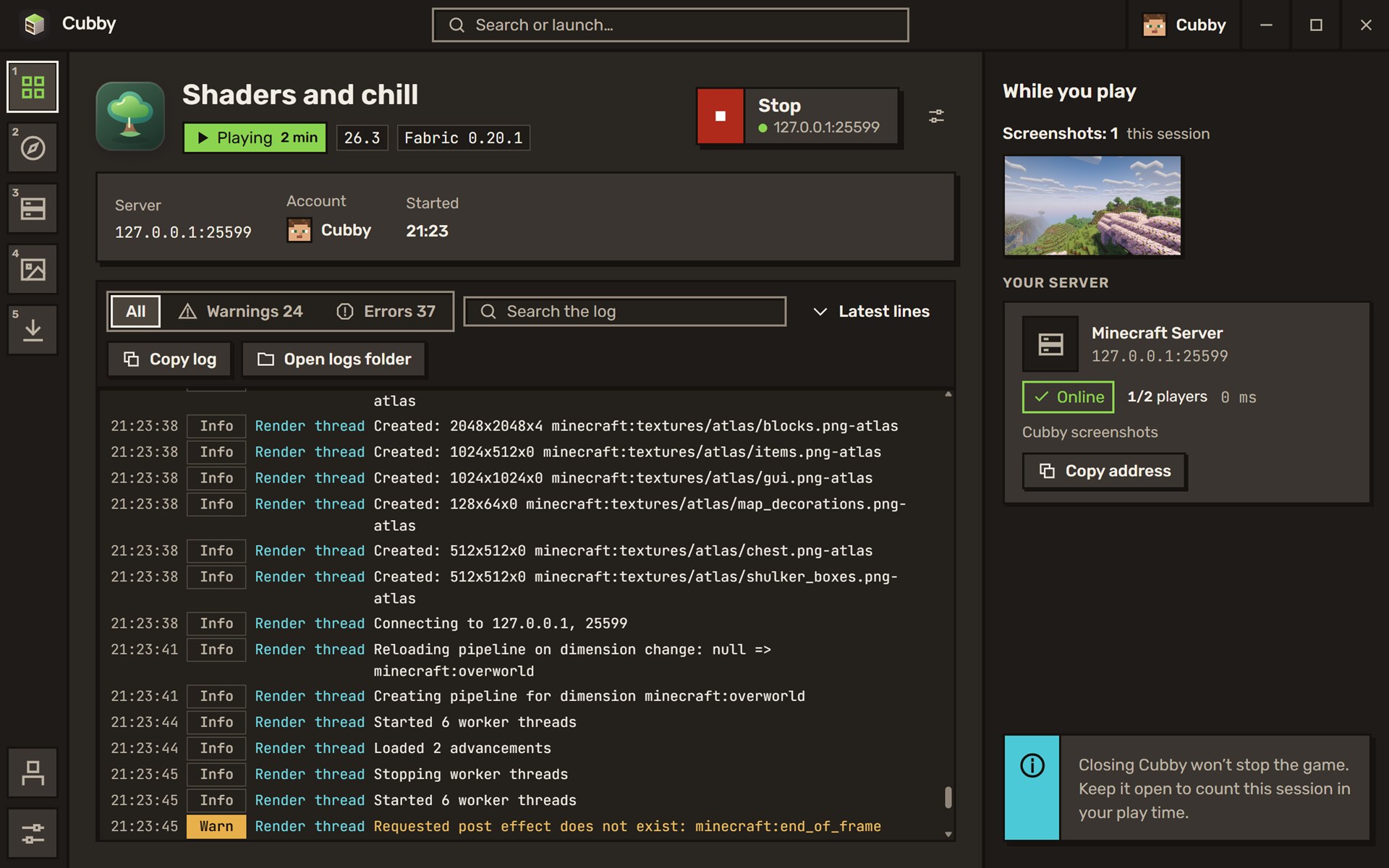
While the game runs, Cubby shows how long you've been playing, the game log as it happens, and the screenshots you take, the moment you take them.
Playing on a server? You see if it's up and how many people are on it.
Screenshots
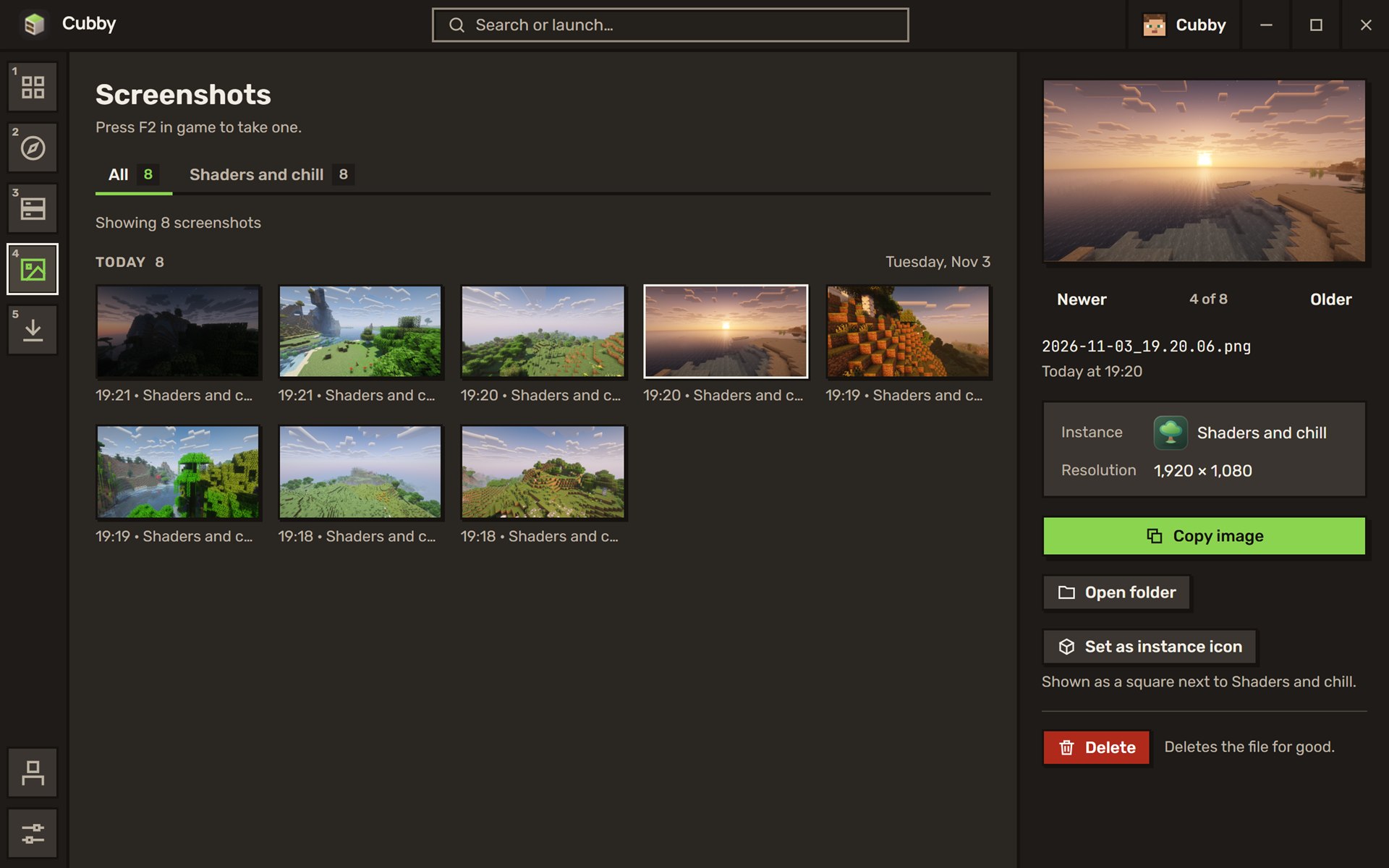
Press F2 in game, and that's it. Cubby gathers your screenshots from all your worlds, sorted by day, ready to copy and send to your friends.
And more
Cubby picks the right Java for each version and downloads it if you don't have it.
Bring your instances over, worlds and mods included.
Save a copy before a risky update, restore it if things go wrong.
See who's online before you join, and jump in from the launcher.
Keep a few accounts side by side and pick the one you play with.
See how long you've played each instance, and when you last did.
Yours to keep
No ads, no Cubby account, no tracking in the app. It stays that way.
Read how Cubby works, change what you don't like, build your own copy.
Copy it, share it, bundle it with your server's guide. The GPL keeps every copy free.
8 MB, for Windows 10 and 11. Free software under the GPL.
The full game needs a Microsoft account that owns Minecraft: Java Edition. Without one, you can try the demo.
Mac and Linux are on the list.